
A dataset's Security tab
Access and permissions can be specified for any individual dataset.
To do this, go to its Security tab, where you will find several available tools. You can apply a filter to control what fields in a dataset are visible in the portal. You can also limit the number of API calls allowed on the dataset, and especially you can provide access and permissions specific users and groups (and not to others).
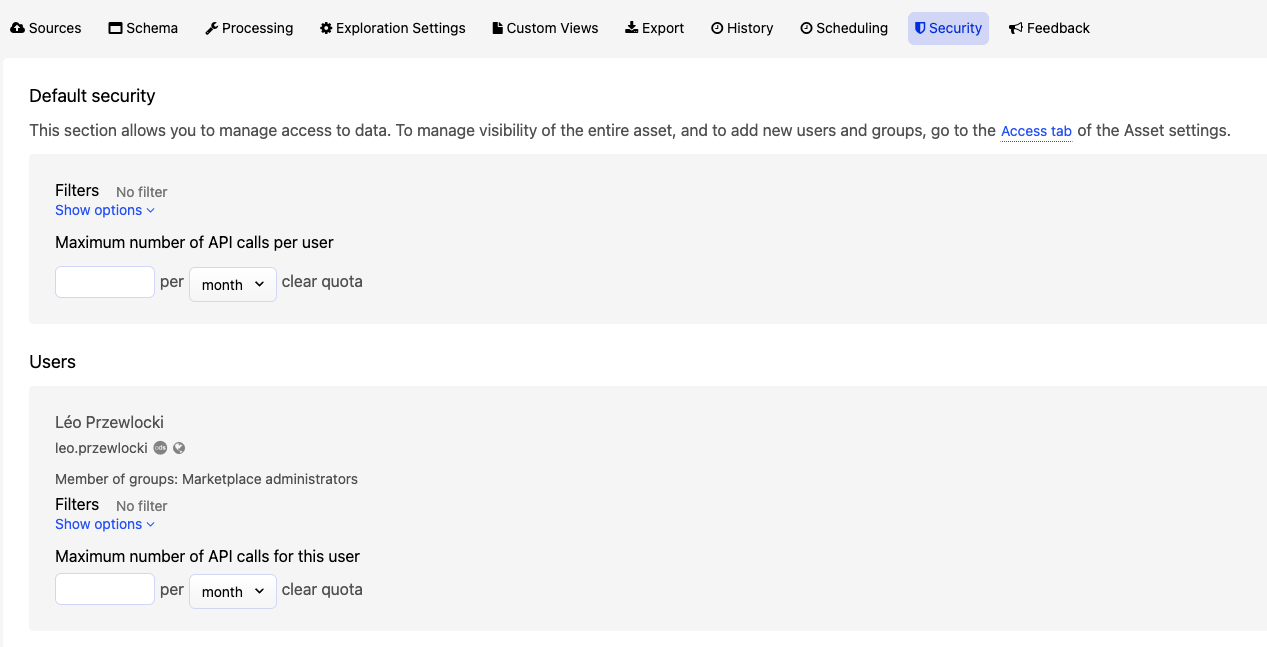
To manage visibility of the entire asset, and to add new users and groups, go to the Access tab of the Asset settings.
Filtering visible fields and API call limits for all users
Even without restricting the dataset to specific users or groups, you can still limit which of this dataset's fields are visible in the portal, as well as limit the number of API calls any one user can make to that dataset.
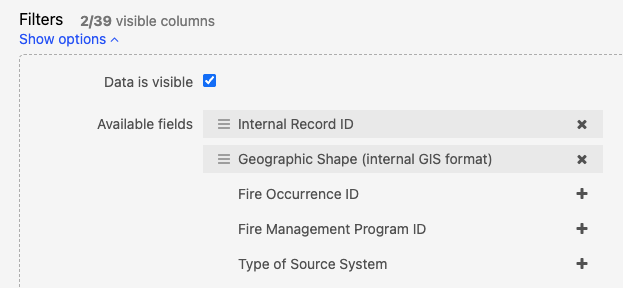
In the Default security section, click on Show options under "Filters" to filter which fields (or columns) are visible in the portal. Click on the "x" or "+" icons to add and remove fields from those that will be visible to your users.
You can also use the same query language used to search within a dataset to limit which records (or rows) are visible.
Filtering visible fields and API call limits for specific users or groups
If you have allowed specific users or groups to access to the asset, you can set up filters to control what fields in a dataset are visible for them in the portal. You can also limit the number of API calls these users or groups are allowed to perform.
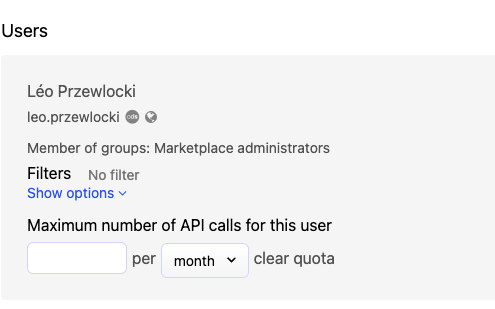
Remember that anyone with permission to modify an entire dataset is able to view the complete dataset in their back office.