
Embedding a Studio page in a CMS
Studio pages can be embedded in any third party website, whether it was built from scratch or using a CMS such as Wordpress or Drupal.
Note that this feature embeds an entire studio page. You cannot embed only parts of a page. The header and the footer of your Huwise portal won't be embedded, and the embedded page will apply the style and color of the Huwise portal. If you wish it to apply the visual identity of the website, this must be configured on the Huwise platform's Theme menu.
There are four pre-requisites:
The website must be able to run Javascript scripts.
You or someone you work with must have access to the website's source code.
The Huwise portal and the page you're about to embed must be public, even if the website is private into which you're embedding the Studio page. If it's not public, the website won't be able to load the Studio page properly and will load a blank page.
Studio pages can only be created and managed by domain administrators. You need administrator access to the back office to complete the steps below.
Step 1: Copy the script
There are two options:
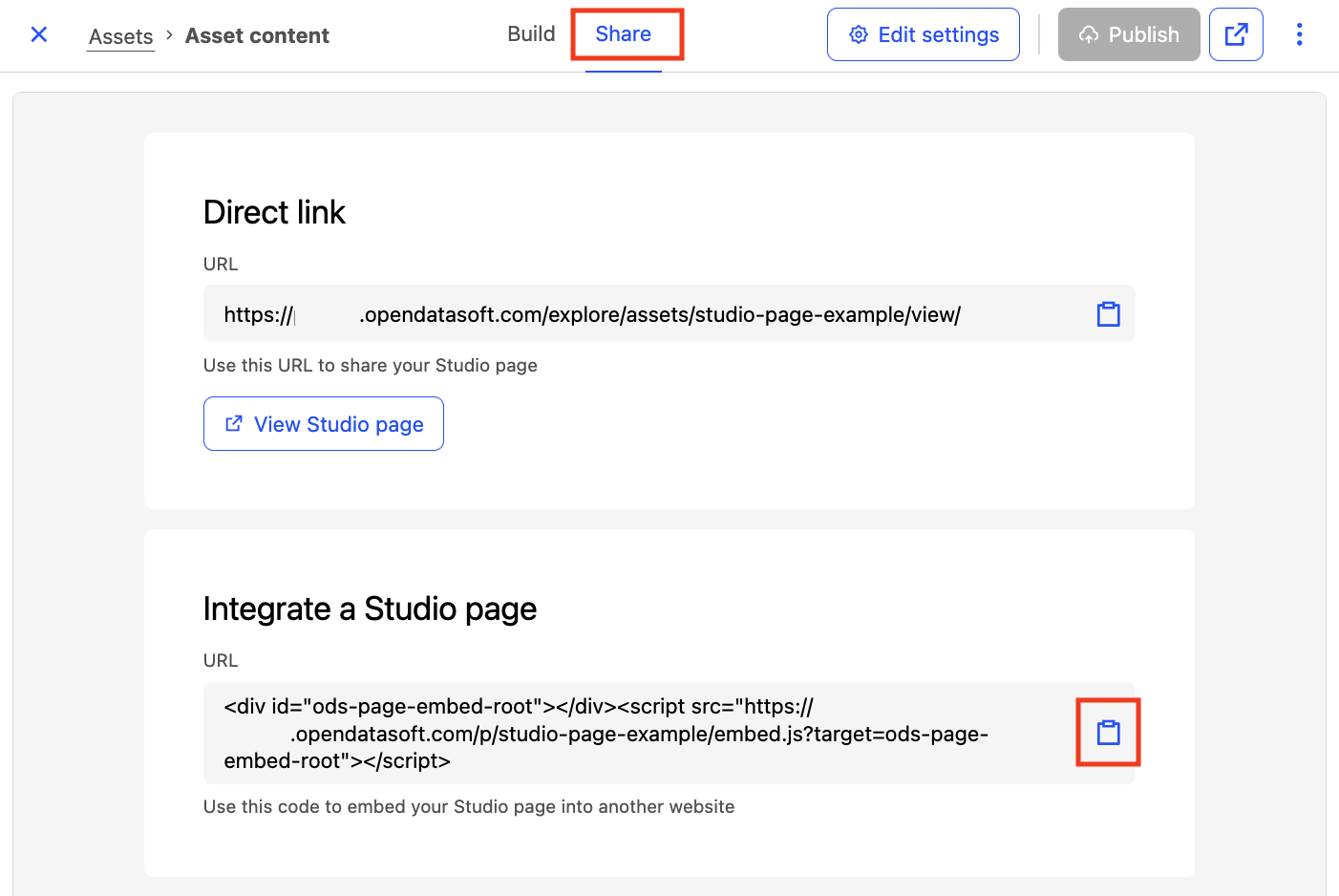
Open and edit the Studio page you want to embed. Click the Share tab, next to Build, at the top of the builder. Assuming the page has been published, you can click the copy icon next to the link unnder "Integrate a Studio page."
From the preview view of your Studio page, find the < > icon in the top right of the page. Click on it and, assuming the page has been published, you can click on the Copy code button.

Step 2: Paste the code at the appropriate place in your website
Scenario 1: CMS
The procedure depends on the CMS you're using. In many cases you will need administration privileges on the CMS to perform the action. Here are the up-to-date procedures for the most common CMSs:
Scenario 2: A custom website developed from scratch
In this scenario, you must paste the code where it is appropriate according to your website's codebase. Be sure to enlist a developer if necessary.