
Huwise status page

The fastest, most up-to-date way to be informed of the status of Huwise's services is to check the Huwise status page.
You can check the status of Huwise services at any time—and even view it region by region. Automatic notifications (email, webhooks, etc.) keep you instantly informed of any incident. The page is updated automatically, and each event is archived to support better analysis and stronger prevention of future incidents.
The information on the status page
At the top of the status page, you’ll see an overall status indicator—the green "All Systems Operational" in the image above.
Below, you can view more specific status information for eight key topics. There are three statuses:
🟩 Operational
🟨 Stable, but there is an ongoing investigation
🟥 There is currently an incident
Where relevant, users can view the service status according to their hosting region.
AWS Ireland
EU-1
Oracle Jeddah
ME-1
AWS Germany
EU-2
AWS Middle East
ME-2
Outscale
EU-3
AWS Canada
CA-1
AWS Sydney
AP-1
AWS US
US-1
You can also view general statistics and the incident history for the last 30 days.
Access from the back office + notifications
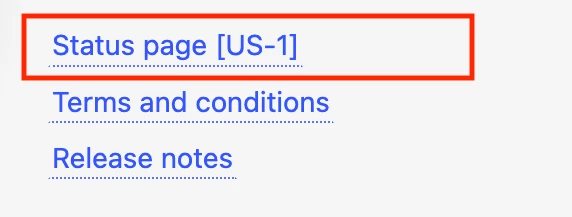
For easy access, in your back office you can find a direct link to the status page in the sidebar menu just above the “Terms & Conditions” and “Release Notes” links.
You can also sign up for email notifications. On the status page, click Subscribe in the top right corner. Select the type of notifications you wish to receive and follow the instructions.
For example, for notifications via email, enter the email address where you want to receive alerts. You’ll receive a first message with a link to manage your subscription. Click it, then select the regions for which you’d like to receive incident alerts—including updates on their progress and resolution.